OpenClaw
OpenClaw 🦞
Section titled “OpenClaw 🦞”


“EXFOLIATE! EXFOLIATE!” — A space lobster, probably
Any OS gateway for AI agents across Discord, Google Chat, iMessage, Matrix, Microsoft Teams, Signal, Slack, Telegram, WhatsApp, Zalo, and more.
Send a message, get an agent response from your pocket. Run one Gateway across built-in channels, bundled channel plugins, WebChat, and mobile nodes.
Install OpenClaw and bring up the Gateway in minutes.
Guided setup with openclaw onboard and pairing flows.
Launch the browser dashboard for chat, config, and sessions.
What is OpenClaw?
Section titled “What is OpenClaw?”OpenClaw is a self-hosted gateway that connects your favorite chat apps and channel surfaces — built-in channels plus bundled or external channel plugins such as Discord, Google Chat, iMessage, Matrix, Microsoft Teams, Signal, Slack, Telegram, WhatsApp, Zalo, and more — to AI coding agents. You run a single Gateway process on your own machine (or a server), and it becomes the bridge between your messaging apps and an always-available AI assistant.
Who is it for? Developers and power users who want a personal AI assistant they can message from anywhere — without giving up control of their data or relying on a hosted service.
What makes it different?
- Self-hosted: runs on your hardware, your rules
- Multi-channel: one Gateway serves built-in channels plus bundled or external channel plugins simultaneously
- Agent-native: built for coding agents with tool use, sessions, memory, and multi-agent routing
- Open source: MIT licensed, community-driven
What do you need? Node 24 (recommended), or Node 22 LTS (22.19+) for compatibility, an API key from your chosen provider, and 5 minutes. For best quality and security, use the strongest latest-generation model available.
How it works
Section titled “How it works”flowchart LR A["Chat apps + plugins"] --> B["Gateway"] B --> C["OpenClaw agent"] B --> D["CLI"] B --> E["Web Control UI"] B --> F["macOS app"] B --> G["iOS and Android nodes"]The Gateway is the single source of truth for sessions, routing, and channel connections.
Key capabilities
Section titled “Key capabilities”Discord, iMessage, Signal, Slack, Telegram, WhatsApp, WebChat, and more with a single Gateway process.
Bundled plugins add Matrix, Nostr, Twitch, Zalo, and more in normal current releases.
Isolated sessions per agent, workspace, or sender.
Send and receive images, audio, and documents.
Browser dashboard for chat, config, sessions, and nodes.
Pair iOS and Android nodes for Canvas, camera, and voice-enabled workflows.
Quick start
Section titled “Quick start”Install OpenClaw
Terminal window npm install -g openclaw@latestOnboard and install the service
Terminal window openclaw onboard --install-daemonChat
Open the Control UI in your browser and send a message:
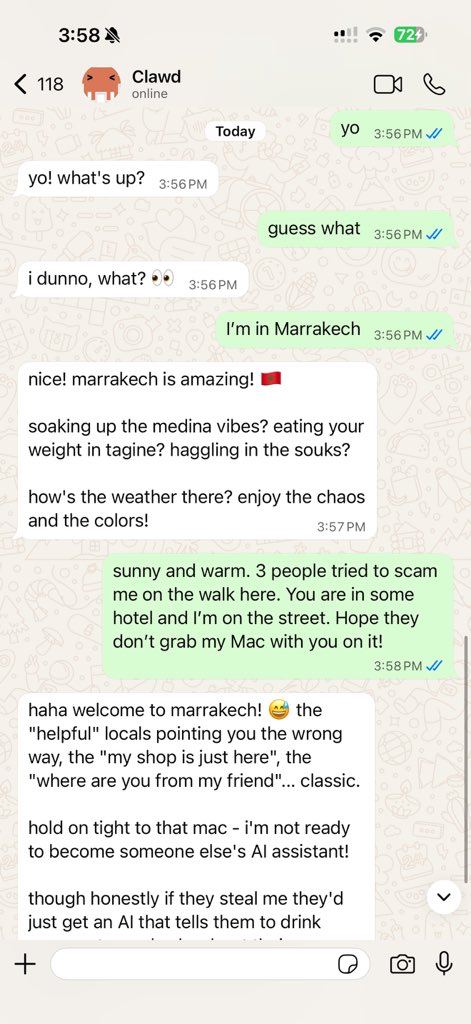
Terminal window openclaw dashboardOr connect a channel (Telegram is fastest) and chat from your phone.
Need the full install and dev setup? See Getting Started.
Dashboard
Section titled “Dashboard”Open the browser Control UI after the Gateway starts.
- Local default: http://127.0.0.1:18789/
- Remote access: Web surfaces and Tailscale
Configuration (optional)
Section titled “Configuration (optional)”Config lives at ~/.openclaw/openclaw.json.
- If you do nothing, OpenClaw uses the bundled OpenClaw agent runtime with per-sender sessions.
- If you want to lock it down, start with
channels.whatsapp.allowFromand (for groups) mention rules.
Example:
{ channels: { whatsapp: { allowFrom: ["+15555550123"], groups: { "*": { requireMention: true } }, }, }, messages: { groupChat: { mentionPatterns: ["@openclaw"] } },}Start here
Section titled “Start here”All docs and guides, organized by use case.
Core Gateway settings, tokens, and provider config.
SSH and tailnet access patterns.
Channel-specific setup for Feishu, Microsoft Teams, WhatsApp, Telegram, Discord, and more.
iOS and Android nodes with pairing, Canvas, camera, and device actions.
Common fixes and troubleshooting entry point.
Learn more
Section titled “Learn more”Complete channel, routing, and media capabilities.
Workspace isolation and per-agent sessions.
Tokens, allowlists, and safety controls.
Gateway diagnostics and common errors.
Project origins, contributors, and license.